
Xerox Multifunction Printers: A Game-Changer for Tampa Bay Small Businesses

Modern Xerox MFPs combine printing, scanning, copying, and faxing into one smart device—bringing big-office capabilities into smaller workplaces. These machines help teams handle brochures, contracts, scans, and secure faxes quickly and efficiently.
Industry-Specific Benefits
Legal Firms
Xerox ConnectKey® MFPs automate document tasks like scanning and routing while protecting sensitive data. Local law firms trust Bay Copy for custom setups that meet compliance and speed up filings.

Healthcare Practices
HIPAA-compliant Xerox MFPs connect directly to EHR systems, with encrypted cloud workflows and identity verification. Clinics throughout Tampa Bay use Bay Copy solutions to manage records securely and efficiently.
Creative Agencies
Design firms enjoy vivid prints, cloud workflows, and mobile access. Bay Copy helps marketing teams eliminate outsourcing and keep production in-house—on deadline and on budget.
Retail Stores
Retailers print shelf tags, coupons, and signs on the spot with mobile-friendly MFPs. Bay Copy provides equipment that keeps up with fast-moving sales floors.
Real Estate Offices
Agents create polished flyers and scan contracts in seconds. Xerox MFPs from Bay Copy simplify property marketing and transaction management for Tampa Bay’s top realtors.
Key Features of Xerox MFPs
- Mobile & Wireless Printing –e.g. Apple AirPrint, Mopria Print, Chromebook printing and Wi-Fi Direct . Employees can print or scan from smartphones, tablets or laptops without cables, enabling convenient on-the-spot printing in any part of a store or office
- Cloud Connectivity – Scan directly to Google Drive, Dropbox, or email. Many Xerox models connect to cloud services and content hubs. Users can scan directly to email or cloud storage (e.g. Dropbox, Google Drive) and print from cloud apps. Xerox emphasizes that its solutions let users “tap into the power of the cloud” for total freedom to work anywhere. This means a designer can pull a document from a cloud folder to print, or a doctor can send a patient’s record to the practice’s secure cloud storage directly from the MFP.
- Automated Workflows – Xerox ConnectKey® enabled MFPs run serverless workflow apps (from the Xerox App Gallery) for tasks like scan-to-email, translation, Bates stamping, or background removal in documents. These apps streamline complex processes. For example, “Xerox® ConnectKey® Apps” let users automate repetitive tasks on the device itself. Workflows can also link to Robotic Process Automation (RPA) services in legal or healthcare settings. In short, repetitive paperwork steps can be automated, freeing staff from manual document handling.
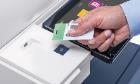
- Top-Tier Security – User authentication, encrypted data transfer, and secure queues. Security is built into Xerox MFPs. Features include user authentication (e.g. badge login), secure-print queues, data encryption and automatic memory wiping. Xerox notes that “there’s no such thing as too much” security: its devices have “layers of built-in security” to stop threats. For instance, compliance-minded offices can require that users log in at the machine before releasing any print job. Firmware updates are digitally signed, and scan/fax data can be sent over encrypted channels. These safeguards protect client and patient privacy and meet regulatory standards.
- Eco-Friendly Design – ENERGY STAR® certified with duplex and sleep modes. Xerox designs MFPs with environmental savings in mind. Most models are ENERGY STAR® certified and EPEAT registered. Features like automatic two-sided (duplex) printing and “Earth Smart” settings help reduce paper and energy use. Machines enter low-power sleep modes when idle. For example, the Xerox B305 MFP spec sheet highlights ENERGY STAR qualification and low-power modes. In practice, these features cut electricity bills and waste for small offices.
- Value, Reliable & Durable – Designed for daily use with low maintenance needs. Xerox emphasizes that even for small businesses, its MFPs deliver “big business benefits” at low cost (shop.xerox.com). Durable components and long-life imaging systems mean less downtime. Many dealers offer managed print contracts so supplies and maintenance are included, giving firms “performance you don’t have to think about” (xerox.ca).
Cost-Saving Benefits
- Less Paper Waste – Duplex and digital workflows cut paper and storage costs. Duplex printing and digital document storage significantly reduce paper usage. As one source notes, centralizing functions on an MFP “reduces the need for separate consumables (like toner and paper) and lowers energy consumption” (xerox.ca) pcgcopiers.com. Scanning documents into digital archives also frees up storage space
- No More Outsourcing – Print high-quality brochures and signs in-house. With on-site color printing and finishing, businesses spend less on third-party print shops or courier services. Agencies and retailers can print flyers and signs themselves, saving per-page costs. (Industry analysis finds that high-volume MFPs have much lower cost per page than office inkjets.)
- Improved Efficiency / Labor-Saving Automation – Faster turnaround with built-in workflow tools. MFPs speed up routine tasks. High-speed scanning with OCR and one-touch workflows “streamlines the process of digitizing and sharing documents” (pcgcopiers.com). Time saved on filing, copying and faxing translates to labor cost savings and faster customer service.
- Low Maintenance – Managed print services reduce service disruptions. Consolidating equipment means fewer devices to service. Maintaining one MFP is cheaper than many printers/copiers. Leased MFPs often include maintenance contracts, further reducing surprise repair costs.
- Energy Efficiency – Reduce power bills with advanced energy-saving settings. ENERGY STAR® rated machines and sleep modes cut electricity bills. In fact, many modern MFPs “feature low power modes and automatic shut-off” to save energy (pcgcopiers.com).
Tampa Bay’s Trusted Provider: Bay Copy & Data
Founded in 1987, Bay Copy & Data is the premier Xerox Authorized Dealer for the Tampa Bay region. Serving Pinellas, Hillsborough, and Pasco counties, we offer personalized consultation, competitive leasing options, and white-glove support for every device we install.
Our Services Include:
- Access to the latest Xerox MFPs
- Flexible leasing and financing options
- Managed print services (toner, maintenance, more)
- On-site service from local certified technicians

Summary: One Device, Endless Benefits
| Business Type | MFP Features Leveraged | Unique Benefits |
|---|---|---|
| Legal Firms | Secure scanning, OCR, ConnectKey workflows | Automate filing, boost compliance, protect confidentiality |
| Healthcare | HIPAA compliance, scan-to-EHR, encrypted cloud | Faster patient record handling, fewer errors, improved privacy |
| Creative Agencies | High-res color, cloud printing, mobile access | In-house production, faster campaigns, better quality control |
| Retail Stores | Mobile printing, signage, scan-to-digital | On-demand marketing, reduced paperwork, streamlined operations |
| Real Estate Offices | Color brochures, mobile print, contract scans | Fast marketing, easy digital archiving, better client communication |
Each business type leverages Xerox MFP features in ways that match its workflow: law firms emphasize security and automation, clinics focus on compliance and fast patient-data sharing, creatives use advanced color/finishing, retailers employ mobile and signage printing, and realtors benefit from on-demand marketing materials. Across all cases, MFP features (cloud, mobile, security, eco-modes) deliver cost savings and efficiency gains tailored to the industry needs.
Sources: Industry and product analyses of Xerox multifunction printers and small-business use cases: bdsdoc.com, xerox.com, xerox.compcgcopiers.com, xerox.ca, xerox.com, xeroxbusinesssolutions.com, jasminedirectory.com, among others cited above.
Modern Xerox MFPs combine printing, scanning, copying, and faxing into one smart device—bringing big-office capabilities into smaller workplaces. These machines help teams handle brochures, contracts, scans, and secure faxes quickly and efficiently. Bay Copy and Data, Tampa Fl. 813-855-7335
Share this article

Written by : Bay Copy & Data
Follow us
A quick overview of the topics covered in this article.
Modern Xerox MFPs combine printing, scanning, copying, and faxing into one smart device—bringing big-office capabilities into smaller workplaces. These machines help teams handle brochures, contracts, scans, and secure faxes quickly and efficiently. Bay Copy and Data, Tampa Fl. 813-855-7335
Latest articles

Post Date: February 23, 2026
Post Date: February 3, 2026

Post Date: January 22, 2026

Post Date: September 24, 2025
Post Date: September 9, 2025